Voice Caddie SC4 Pro vs. Shot Scope LM1 Comparison

Disclaimer: This post may contain affiliate links. As an Amazon Associate, I earn from qualifying purchases—at no extra cost to you.
If you’re like most golfers, you want to learn more about your game in practice without overcomplicating things. That’s where a personal launch monitor can help.
Two popular options are the new Shot Scope LM1 launch monitor and the Voice Caddie SC4 Pro. Both are designed to help you practice smarter and understand your distances, but they serve very different purposes.
The LM1 is built for quick, no-frills feedback on the range or course and with speed training. While the SC4 Pro goes a step further by adding simulator capabilities and a more complete practice experience.
In this comparison, I’ll break down how they differ, who each one is best for, and my experience using both so you can decide which one fits your game and goals.
Shot Scope LM1 vs. SC4 Pro Launch Monitor Comparison
Before comparing these two, it’s important to understand the big picture—because this isn’t just a product comparison, it’s a category difference.
Devices like the LM1 are true personal launch monitors. They’re built to give you quick feedback on key numbers like speed and distance so you can practice with more intention. You turn it on, hit balls, get your numbers, and move on—simple and effective.
The SC4 Pro, on the other hand, starts to blur the line between a launch monitor and a golf simulator system. It still gives you the same core data, but it also adds the ability to play virtual rounds and practice indoors with simulator software.
That’s the real difference:
Now, let’s compare to see what they have in common and what they don’t to make your decision wicked easy.
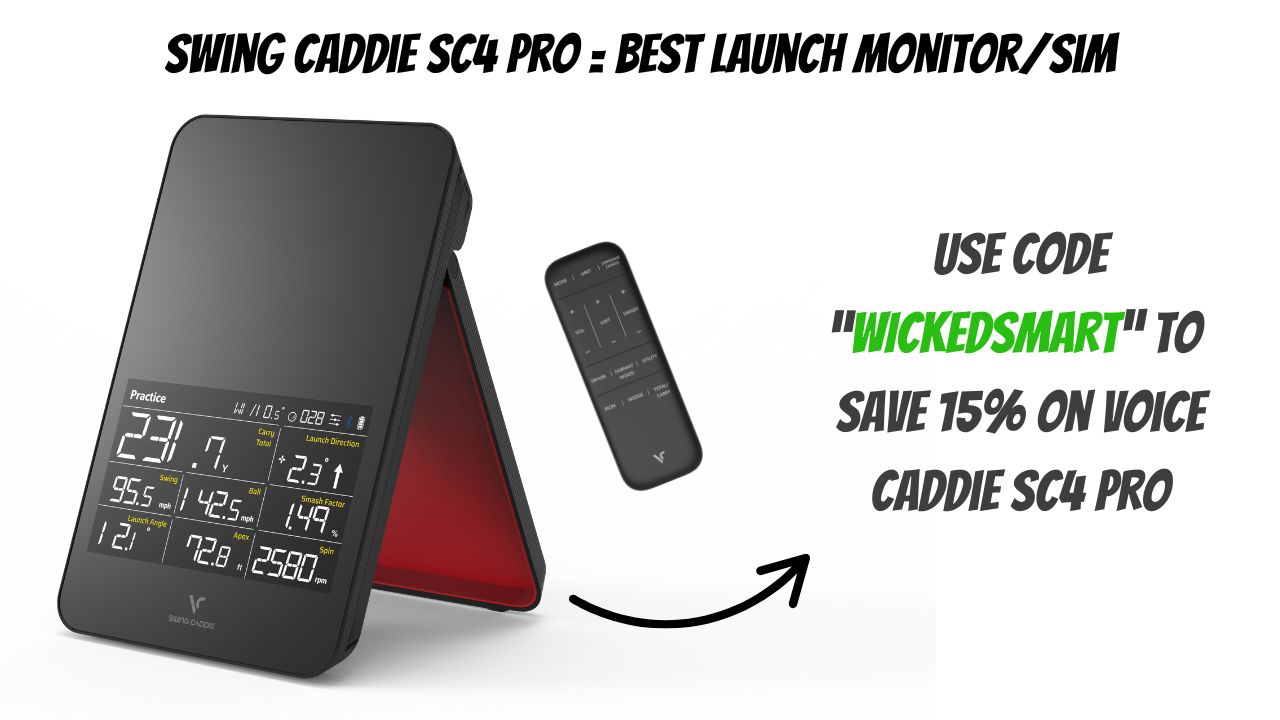
Voice Caddie SC4 Pro Overview
The Voice Caddie SC4 Pro is a completely different level compared to most budget launch monitors. It’s designed for golfers who want both data and a full simulator experience.
Let’s talk numbers; you get the basics on screen, like swing speed, ball speed, and distance, but then a ton of other features in the app. These include spin axis, dispersion, launch direction, and more.
You can use it for indoor practice, connect it to simulator software, and even play virtual rounds, which makes it much more than just a range tool. This is what separates it from something like the LM1.
Instead of just getting feedback on your shots, the SC4 Pro lets you turn practice into a more immersive experience. It’s ideal if you’re building a home setup or want something you can use year-round, not just at the range.
✅ Pros
- No subscription
- Perfect for indoor practice and home setups
- Still portable enough to use at the range if needed
- Can play virtual rounds and use simulator software
- More complete training tool compared to basic devices
- Data available on the screen (plus the app for more club data)
- Speed training mode (great if you’re using tools like Rypstick, SuperSpeed, or The Stack System
🚫Cons
- More expensive than entry-level launch monitors
- Requires more setup, especially for simulator use
- Not as quick or simple for casual range sessions
- Can be overkill if you just want basic distance and speed feedback
If you’re looking for something that goes beyond simple data and gives you a full practice and simulator experience, the SC4 Pro is a great option.
👉 For a full breakdown of how it works, how I use it, and whether it’s worth it, check out my complete SC4 Pro review.

Shot Scope LM1 Overview
The Shot Scope LM1 is arguably the cheapest launch monitor in golf at only $199! It’s perfect if you want to keep things simple and just focus on getting better. This affordable launch monitor ensures no “zombie mode” on the range and that you’re moving closer to your goals.
The LM1 strips away everything you don’t need and gives you fast, reliable feedback on the numbers that actually matter. This will help you spend more time hitting shots and less time analyzing data.
There’s no learning curve, no setup hassle, and no distractions. This is what makes it so effective, and why I think it’s bound to be a hit for Shot Scope.
With the LM1, you’re not trying to turn practice into a full session with apps, simulations, or deep data tracking—you’re using it as a tool to build confidence in your distances, track speed gains, and make better decisions on the course.
✅ Pros
- Quick setup and instant feedback
- Extremely easy to use for any skill level
- Affordable and practical for everyday golfers
- Focuses only on essential data (no overwhelm)
- Great for fast-paced range sessions and on-course use
- Works with speed training if you’re doing “air only” swings, unlike other launch monitors
🚫Cons
- No simulator capabilities
- Not built for a full “practice studio” setup
- Doesn’t offer advanced metrics or deeper analysis
- Limited if you want to track long-term data trends of your practice sessions
If your goal is to practice more efficiently, trust your distances, and avoid overthinking your game, the LM1 does exactly what it’s supposed to do.
👉 To see how I use it for speed training, range sessions, and dialing in distances, check out my full LM1 review.
My Experience
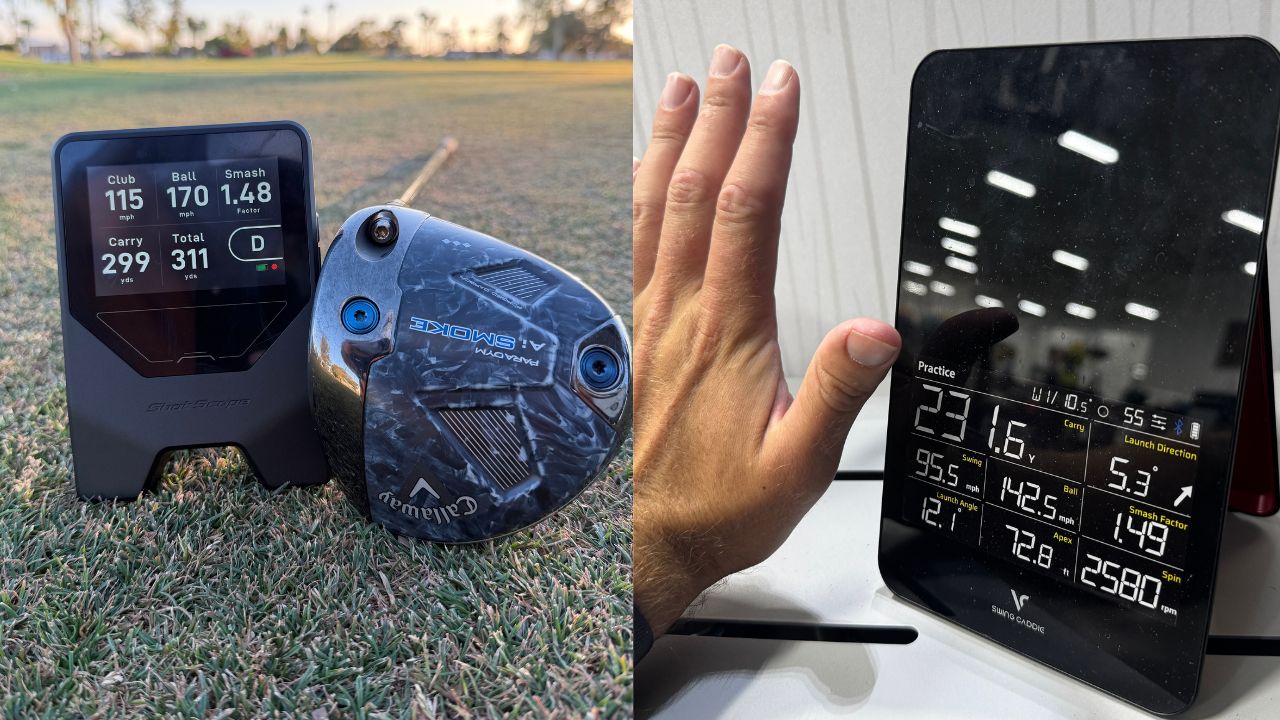
I’ve used both of these in very different ways, and that’s really the key.
The LM1 is something I can grab, set up in seconds, and start getting feedback right away. I’ve used it a lot for speed training, quick range sessions, and even taking it on the course. It keeps things simple and helps me stay focused on execution instead of overanalyzing.
The SC4 Pro is a completely different experience. This is more of a setup—something you use when you want a full session. Whether it’s indoor practice or using the simulator features, it turns practice into something more immersive and structured.
Both are valuable, but I use them for totally different reasons.
Closing Thoughts
If you want something simple, affordable, and easy to use every time you practice, the LM1 is hard to beat. It gives you exactly what you need to improve without adding complexity.
If you’re looking to build a home setup, practice indoors, or want a launch monitor that doubles as a simulator, the SC4 Pro is in a different category altogether.
That’s really what this comes down to:
- Shop the LM1 → Simple, fast, and focused on improving your game at the range or indoors.
- Shop SC4 Pro → More advanced, immersive, and built for a full practice setup. Make sure to use code “WICKEDSMART” to save 15%).
Both can help you play better—it just depends on how you want to practice. That’ll help you decide which one fits your goals and setup best.
You might also find these reviews and comparisons helpful when shopping for low-cost launch monitors: