Shot Scope LM1 vs. Voice Caddie SC300i: Launch Monitor Battle
Disclaimer: This post may contain affiliate links. As an Amazon Associate, I earn from qualifying purchases—at no extra cost to you.
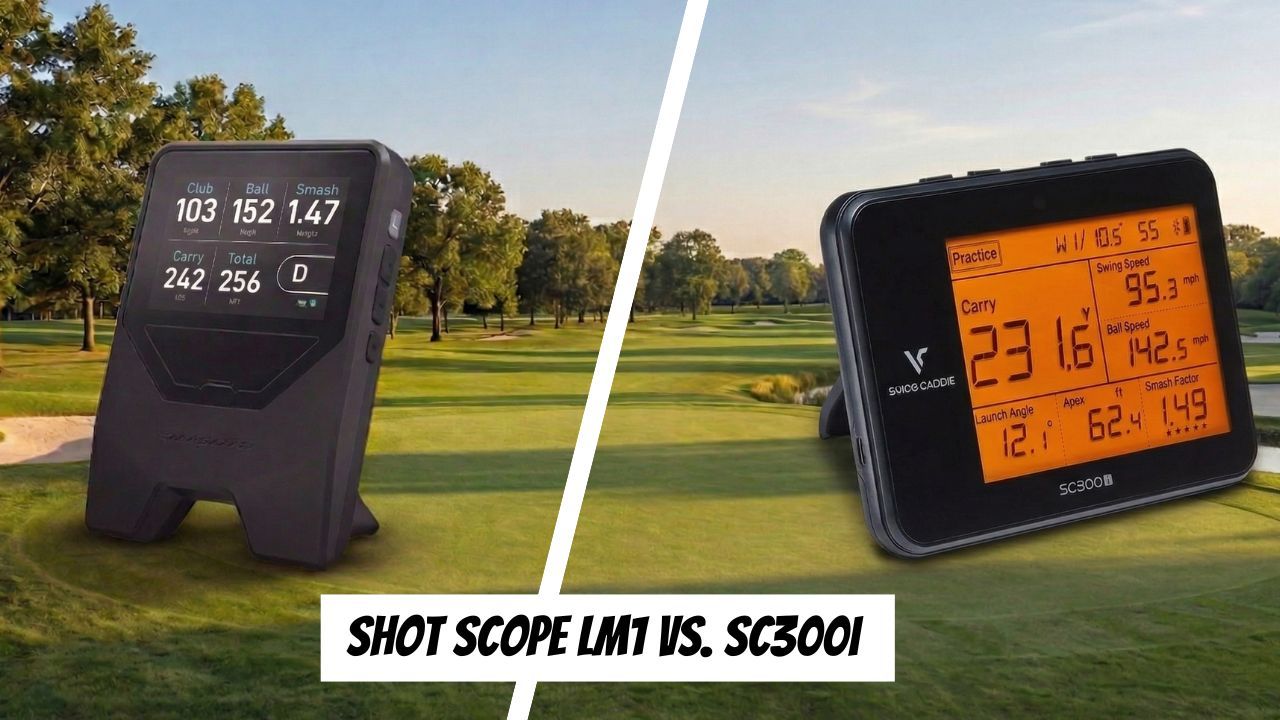
Are you ready to level up your practice sessions and trying to decide between the Shot Scope LM1 and the Voice Caddie SC300i?
I’ve used one for years and tested the other extensively to help you understand the right one for your game. Both are excellent personal launch monitors, but they serve different types of golfers.
The LM1 is built for quick, easy feedback with just the numbers you need, while the SC300i gives you more data and a more structured way to practice. In this comparison, I’ll break down how they stack up, who each one is best for, and my personal experience using both so you can decide which one fits your game.
Shot Scope LM1 vs. SC300i Comparison
Before getting into the comparison, it’s important to understand what a personal launch monitor is—and more importantly, what it’s not.
A personal launch monitor is a portable device that gives you instant feedback on your shots, including metrics like swing speed, ball speed, carry distance, and total distance. The goal isn’t to overwhelm you with data but to give you just enough information to practice with purpose and understand your game better.
These aren’t built to replace high-end simulators or professional fittings. Instead, they’re designed if you'd like to:
- Learn your true distances
- Track progress with speed training
- Get feedback during range sessions
- Practice more efficiently without guessing
That’s why they’ve become so popular—they bridge the gap between guessing on the range and having access to real data. And when used the right way, they can be one of the fastest ways to improve your consistency and confidence on the course.
Shot Scope LM1 Overview
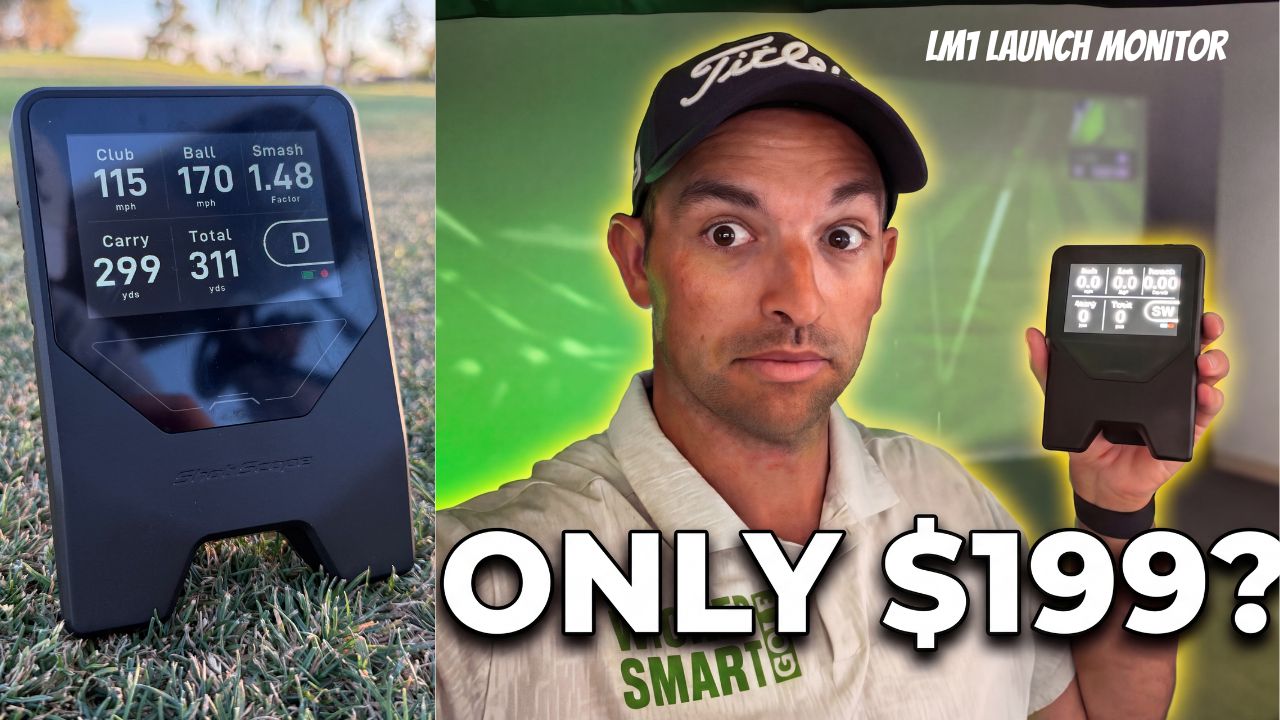
In 2026, Shot Scope officially entered the launch monitor space with the LM1. After seeing it at the PGA Show, I knew it was going to be a hit.
The Shot Scope LM1 is built for golfers who want a simple, no-hassle way to get feedback on their shots. It focuses on the core numbers—club speed, ball speed, carry distance, total distance, and smash factor—so you can understand your distances and practice with more purpose.
There’s no extra fluff or complicated setup, which makes it easy to use consistently. Take it out of the box, select your mode, and it’s ready to go.
This is the type of device you can throw in your bag, set up in seconds, and start getting feedback right away. It’s especially useful for speed training, dialing in distances, and quick range sessions where you don’t want to overthink things.
✅ Pros
- Easy-to-read screen
- No subscription required
- Lightweight and portable
- Very easy to use with minimal setup
- Gives you the key data needed for improvement
- Great for speed training with tools like Rypstick and dialing in your distance control
🚫Cons
- Limited to basic metrics
- No app or deeper data tracking
- Not ideal if you want detailed swing or ball flight analysis
If you’re looking for something simple that helps you practice smarter without getting overwhelmed, the LM1 is a great place to start.
👉 For a full breakdown, accuracy testing, and how I use it in my practice, check out my complete Shot Scope LM1 review

Voice Caddie SC300i Overview
The Voice Caddie SC300i is a clear step up from entry-level launch monitors and is built for golfers who want additional feedback and a more complete practice experience.
I’ve used the SC300i since 2020, and it was one of the first devices that really helped me understand my numbers at a deeper level. Not just dialing in distances, but how consistently I was striking the ball and what was actually happening shot to shot.
The biggest difference vs. the LM1 or the SC200 Plus? It works with the Swing Caddie app to provide more detailed metrics about your range sessions. This is huge for golfers who want to dive into the numbers, save data, and learn more.
Compared to something like the LM1, this gives you more data and more structure to your practice. It’s still portable and easy enough to use on the range, but it’s designed for golfers who want to go beyond the basics and start tracking their performance more closely over time.
✅ Pros
- Incredible battery life
- Great for structured practice sessions
- Built-in display with audio feedback for easy use
- More detailed feedback than entry-level launch monitors
- Helps you better understand consistency and ball striking
- Proven and reliable (I’ve used it for years and have zero issues)
🚫Cons
- More going on compared to simpler devices like the LM1
- Takes a bit more time to set up and get comfortable with
- Not as simple if you just want quick, no-thinking feedback
- Doesn’t work for “air speed” only type of training with products like The Stack System or SuperSpeed
If you’re looking for a budget launch monitor that gives you more insight into your game and helps you practice in a more structured way, the SC300i is a great option and one I’ve trusted for years.
👉 For a full breakdown, how I use it, and whether it’s worth the investment, check out my complete SC300i review.
My Experience
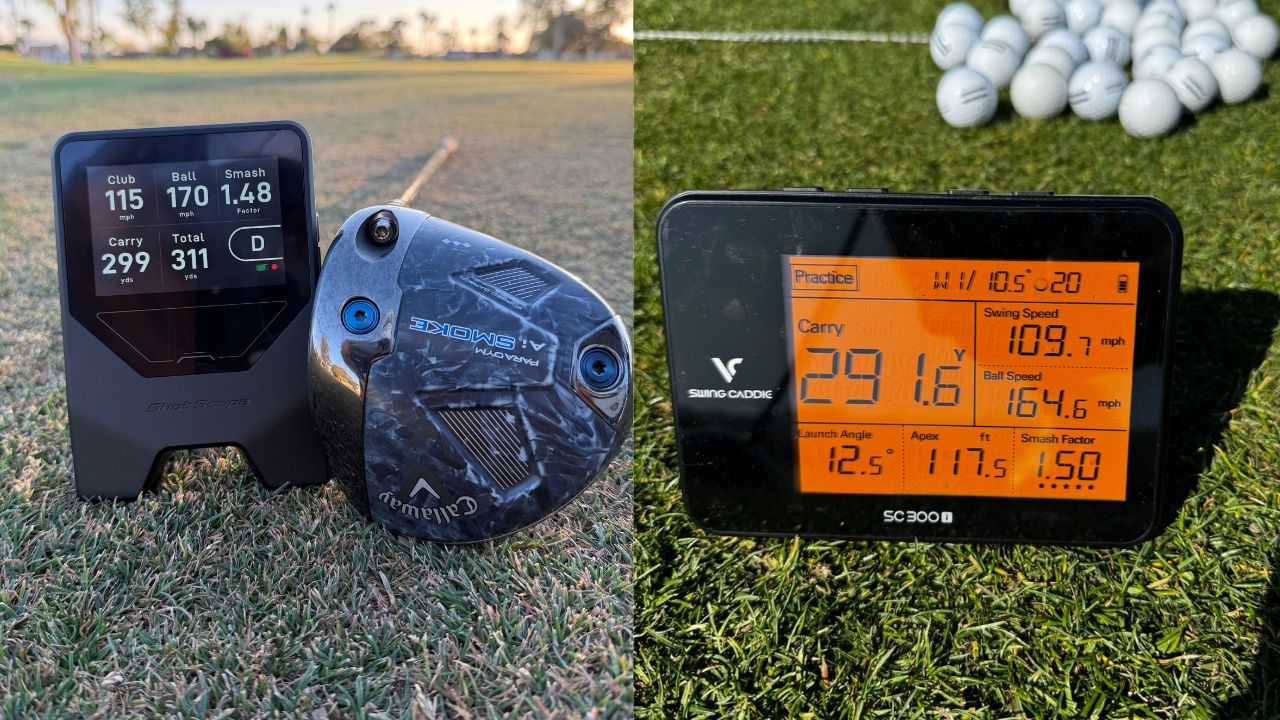
I’m a “let’s keep it simple” kind of guy, and ultimately that's why I suggest either of these as perfect choices for committed golfers. I’ve spent a lot of time with both of these launch monitors, and they each bring something different to the table.
I’ve used the SC300i since 2020, and it was one of the first devices that helped me actually understand my numbers instead of guessing on the range. It gave me more structure in my practice and helped me see patterns in my game over time.
More recently, I’ve been using the LM1, and what stands out is how simple and efficient it is. It’s incredibly easy to set up, gives you instant feedback, and is perfect for quick sessions, speed training, or even taking out on the course.
At the end of the day, both are great—it just depends on how you like to practice. If you want simplicity and speed training, the LM1 is hard to beat. If you want more data and a deeper look into your game, the SC300i is the better fit.
Closing Thoughts
Both personal launch monitors are fantastic choices for amateur golfers. Neither will break the bank, and both will help your practice sessions tremendously.
If you’re looking for a personal launch monitor with more data and features than entry-level options, the Voice Caddie SC300i is one of the most popular upgrades.
While devices like the LM1 and SC200 Plus focus on simplicity, the SC300i takes things a step further with additional metrics, app integration, and more advanced feedback to help you understand your game at a deeper level.
👉 Check out the Voice Caddie SC300i (use code “WICKEDSMART” to save 15%).
👉Learn more about the new Shot Scope LM1 launch monitor.
And if you want a personal launch monitor that can also work as a golf simulator, make sure to read my Voice Caddie SC4 Pro review.